Bring Adapt Leads
into your AI tools.
The Adapt Leads connector brings UK businesses, their directors and their insights into the AI assistants you already use. Ask in plain English and you'll get answers from the book, with their labels, instead of guesses.
Plain English in, real records out.
Find accountants in Sheffield with a named director.
What's changed at Marsh & Keel this month?
Brief me on Norton Lees before my call.
The prompts are examples. Every result in the conversation above is sample data.
Answers come from the book, with their labels.
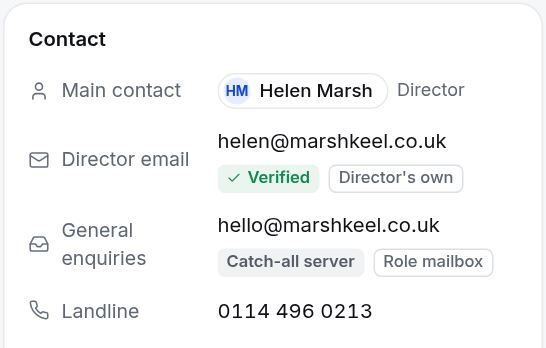
Your assistant searches the same book your team uses. Results carry their labels, Proven, Claimed or Catch-all server, so the assistant can tell you how sure we are instead of guessing. You get real records to work from, not a model's memory of the web.
Starts read-only. You grant more.
A new key can search the book, read records and see your lists. It can't export or send anything. You can give a key more access, such as creating lists or queuing LinkedIn work, and anything that would start outreach still waits for your approval in Adapt Leads.
The book
Included with every key.
search_leadsSearch by sector, place, size and what a business holdslead_detailOpen one business with its labelsresolve_sectorTurn a plain-English trade into a sectormy_listsSee your listsmy_accountYour plan and allowance
With extra access
You choose what each key can do.
- Create and add to lists, save searches
- Create campaigns, add people, pause or archive
- LinkedIn status, history and queuing work for the extension
- Outreach and analytics reports, call lists and teams
- See what is waiting for your approval
Connect in three steps.
- 1
Create a key
In Settings, then Integrations. Keep it private, like a password.
- 2
Add the connector
Add the server address
mcp.adaptleads.co.ukto your assistant's connector settings, with your key as a bearer token. - 3
Ask away
Ask for a list, a briefing or what changed. Results come back with their labels.
Questions, answered
Which assistants work?
Claude, ChatGPT and Cursor, and any other assistant that supports MCP connectors.
Can the assistant export or send anything?
Not by default. A key starts read-only. Anything that would start outreach waits for your approval in Adapt Leads, and exports happen in the app, where you can see what leaves.
Do searches cost anything?
Searches through the connector count like searches in the app. Fair-use limits apply to protect the book.
Is it safe?
Each request is tied to your key and your workspace, and every call is logged. You can revoke a key at any time.
Where can I read more?
On the developers page, with the setup and the tools.
Bring the book into your AI tools.
Start free, create a key and ask your first question.