From first reply
to signed deal.
Every good reply becomes a deal in one click, with the record, the thread and the next step attached. Pipelines, deals, organisations and contacts are built in, and every deal keeps the route it came in by.
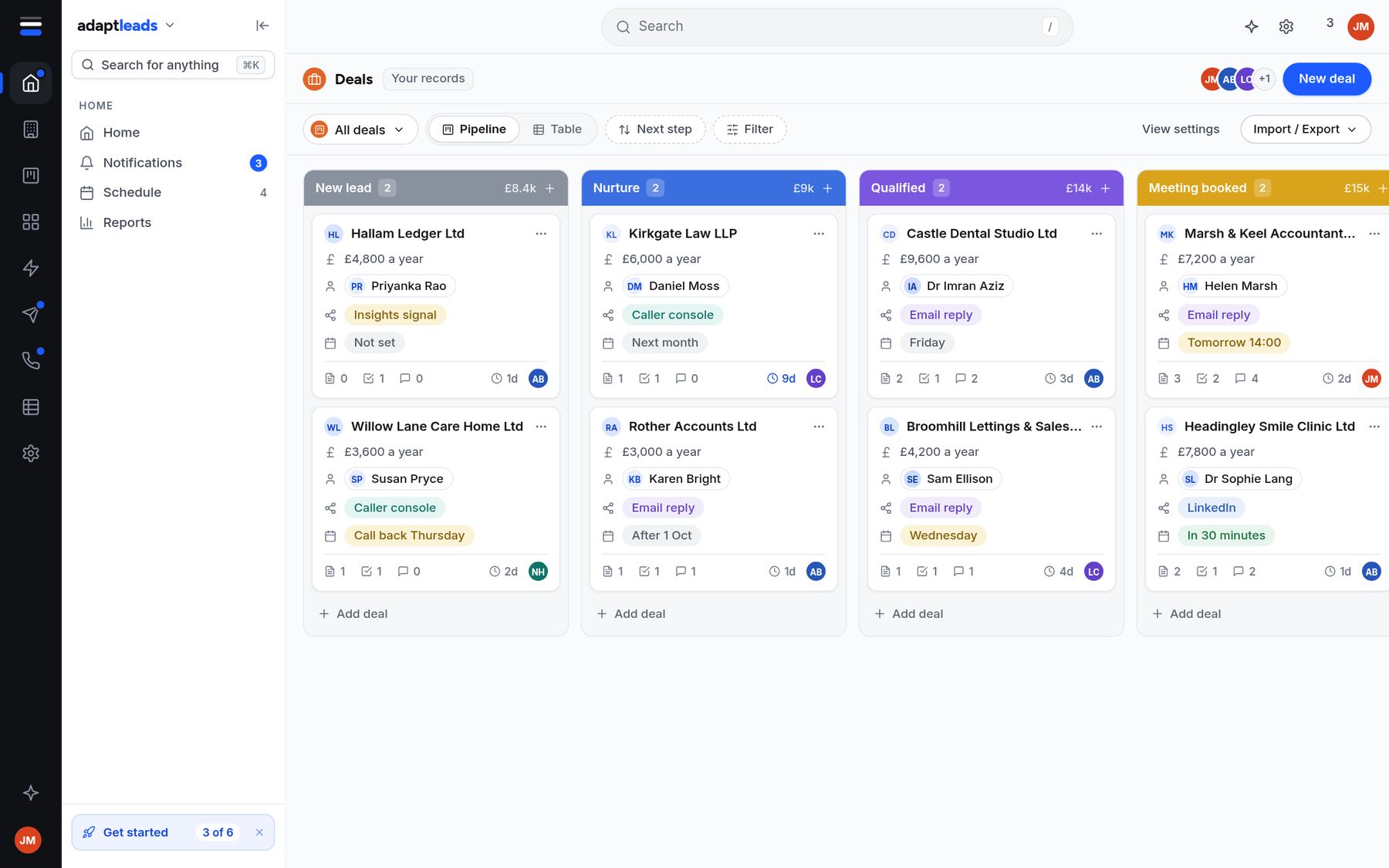
Press Create deal. The history comes with it.
Press Create deal on a reply, a call or an Insights signal and the deal opens with the business, the contacts and the whole history attached. Move it through your stages and see the value at each one.
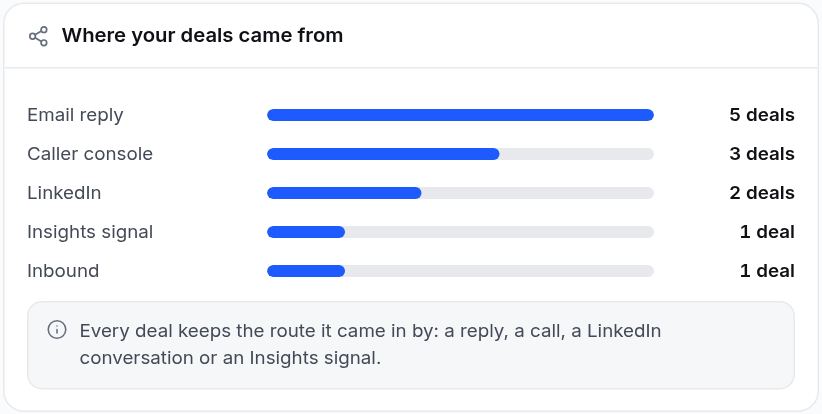
See what actually wins business.
Every deal keeps the route it came in by: an email reply, the Caller Console, LinkedIn, an Insights signal or an inbound enquiry. Reports show the pipeline by stage and where your deals came from.
Start blank, start with a template, or keep the CRM you have.
Pick a starting point: blank, a basic CRM, or a setup built for your trade. Every start is a template in the same format, so you can change any field, stage or view afterwards. Import a file from HubSpot, Pipedrive, Salesforce, Zoho or Attio, see what it would do before anything is added, and undo it if it isn't right. Syncing with those CRMs is planned.
Everything a small team needs.
New enquiries in one place
Every new enquiry, marked New, Contacted, Handled or Discarded.
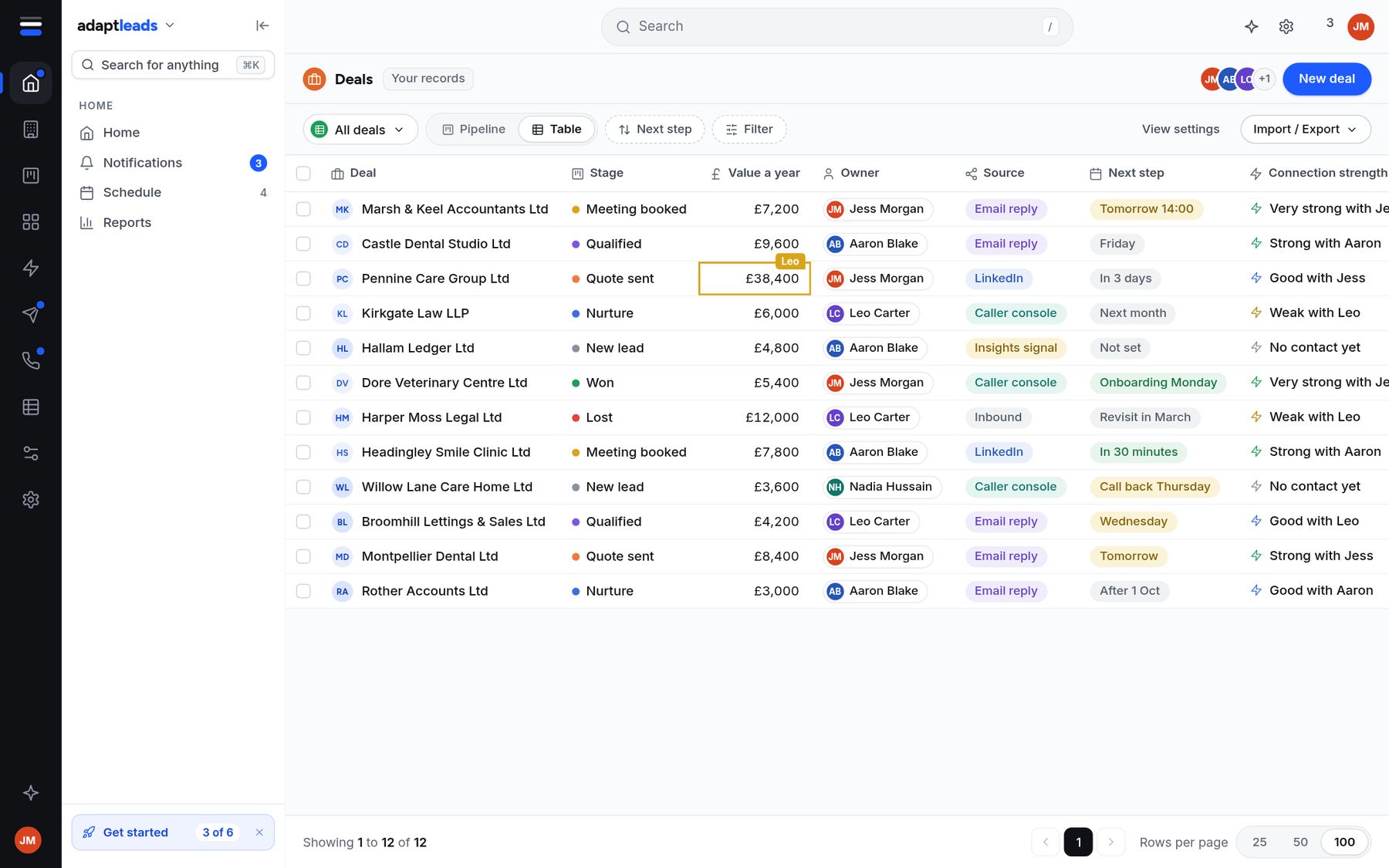
A board and a table
Move deals between stages, set the next step and see the value.
Every company you work with
Linked to the book, so the register facts come with them.
Every person
Roles, emails and phones, with each one's history.
Open pipeline, replies, meetings
Leads in, replies, meetings booked and activity across email, LinkedIn and calls.
Fields, stages and views
Change what you track, and how it looks, without anyone writing code.
Set it up in an afternoon.
- 1
Pick a starting point
Blank, basic or built for your sector. You can change anything afterwards.
- 2
Bring your replies in
Create a deal from an email reply, a call or an Insights signal, or import a file.
- 3
Work the pipeline
Move deals through your stages, set next steps and watch the reports.
Questions, answered
Do I have to use your CRM?
No. Adapt Leads works as the book and the outreach tools even if you keep your own CRM. Syncing with HubSpot, Salesforce, Pipedrive, Zoho, Dynamics 365 and Attio is planned.
Can I import contacts from another CRM?
Yes. The basic CRM uses the same shapes as HubSpot, Pipedrive and Salesforce. Upload a file from one of them, or from Zoho or Attio, and you see where each column will go and what the import would do before anything is added. Records already in your CRM are matched, never copied, and you can undo an import.
Can I change the stages?
Yes. Every start is a template in the same format, so you can change any field, stage or view.
Is the CRM included in the price?
Yes. Every plan has every feature, and plans differ only in how many contacts you can export each month. See pricing.
Turn replies into deals.
Start free and set up your pipeline.