Call lists that tell you
who to ask for.
Get today's calls with the right number, the person to ask for and the reason to ring now. Call from your own phone, then log how it went in one tap. It isn't a dialler, so there's nothing to install.
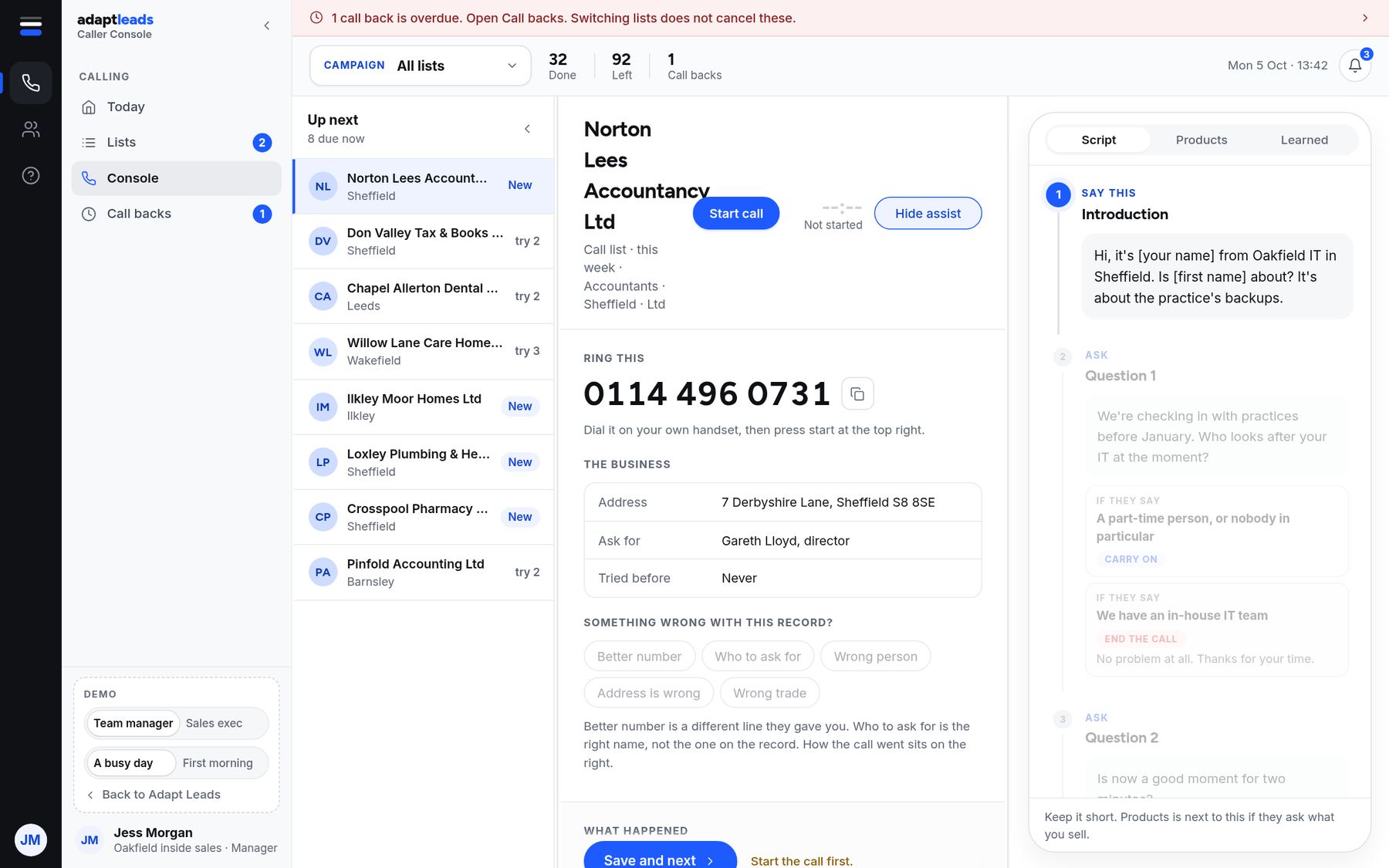
The number, who to ask for and why now.
Each call shows who to ask for, where we found the number and why now: a new director, a move, a new site. A short script helps you open the call, with the questions to ask and what to say if they push back.
Keep every promise you make.
Say you'll ring back at ten and the Call backs list holds you to it. An overdue call back is the first thing you see, and switching lists never cancels one.
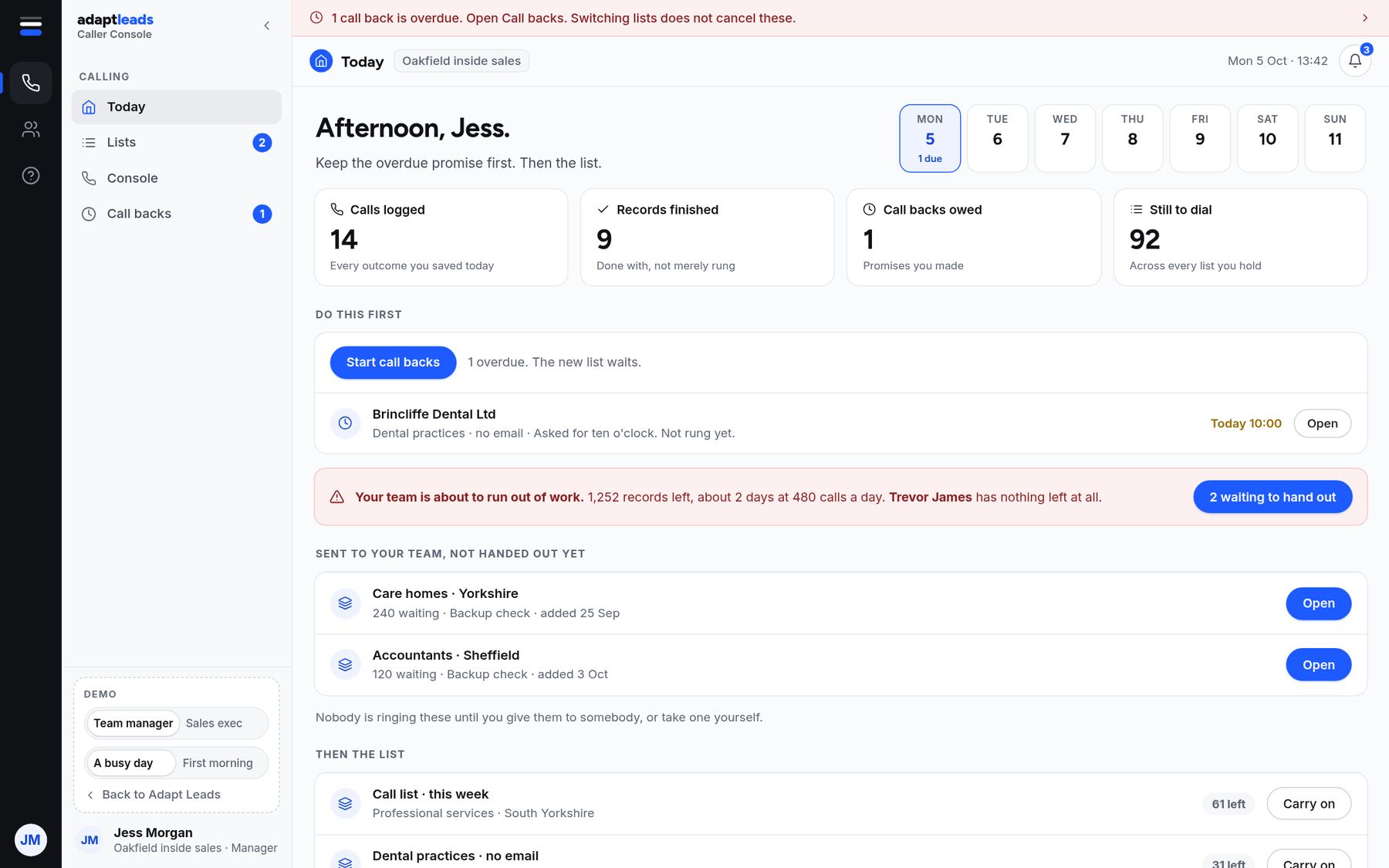
Hand out work, and see who's ahead.
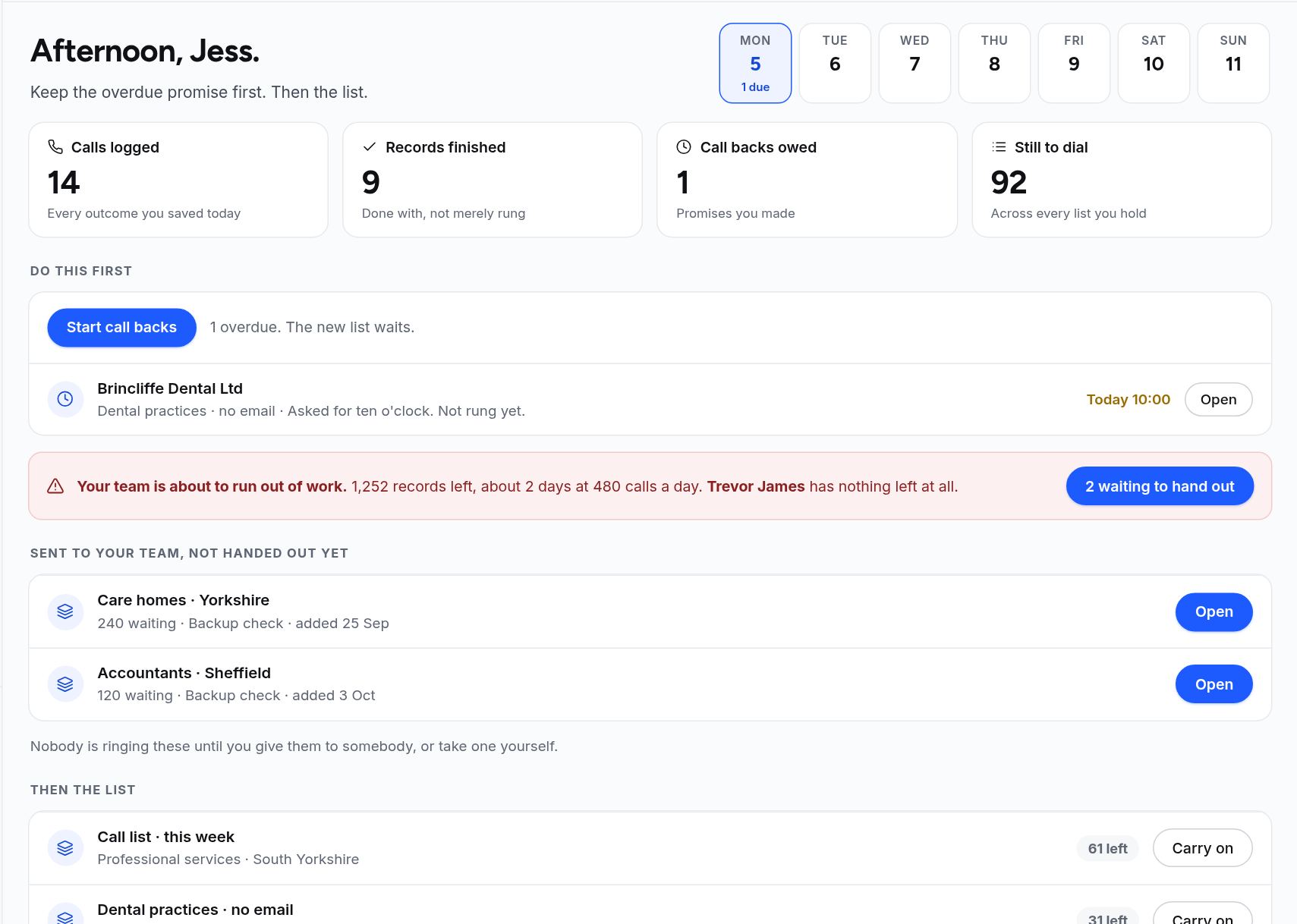
Managers send call lists to the team and hand them out, see calls logged, records finished and call backs owed, and spot when someone is about to run out of work.
Fix the record as you go.
If a number is wrong, say so with one tap: wrong number, a better number, who to ask for, wrong person or wrong trade. It feeds back into the book, so the next call is better than yours was.

A calm place to make calls.
Your day in one view
Calls logged, records finished, call backs owed and calls still to dial.
The lists you hold
Call lists from the book, with who is next and how many are left.
One record at a time
The number, who to ask for, the script and the outcome buttons.
Promises you made
Anything you said you'd ring back, with the time, held until you do.
Log in one tap
Interested, call back, not now, wrong number. Interested can create a deal.
Managers and callers
Managers hand out lists and see progress. Callers see only their own work.
From a list to a logged call.
- 1
Pick a list
Open Today, choose a call list, and the next business is ready.
- 2
Ring from your own phone
Dial on your own handset, then press start so the call is timed and logged.
- 3
Log the outcome
One tap. Interested can create a deal, and a call back goes on your list.
Questions, answered
Is it a dialler?
No. You ring from your own phone. Adapt gives you the number, the person and the script, and logs the outcome.
Do you check the TPS or CTPS for me?
No. We don't screen numbers for you. If you make marketing calls, check the Telephone Preference Service registers before you ring, as our UK GDPR and PECR page explains.
Can my team use it?
Yes. Managers hand out lists and see progress, and callers work through their own lists.
What happens to a number someone says is wrong?
It goes back to the book as a correction, and the next person who calls that business gets a better record.
Make your first call list.
Start free, build a list and call it from your own phone.