Cold email,
from mailboxes you own.
Connect your mailboxes, build a sequence, and Adapt warms up each mailbox, paces every send and follows up for you. Replies land in one inbox, sorted by what they mean, and a good one becomes a deal in a click.
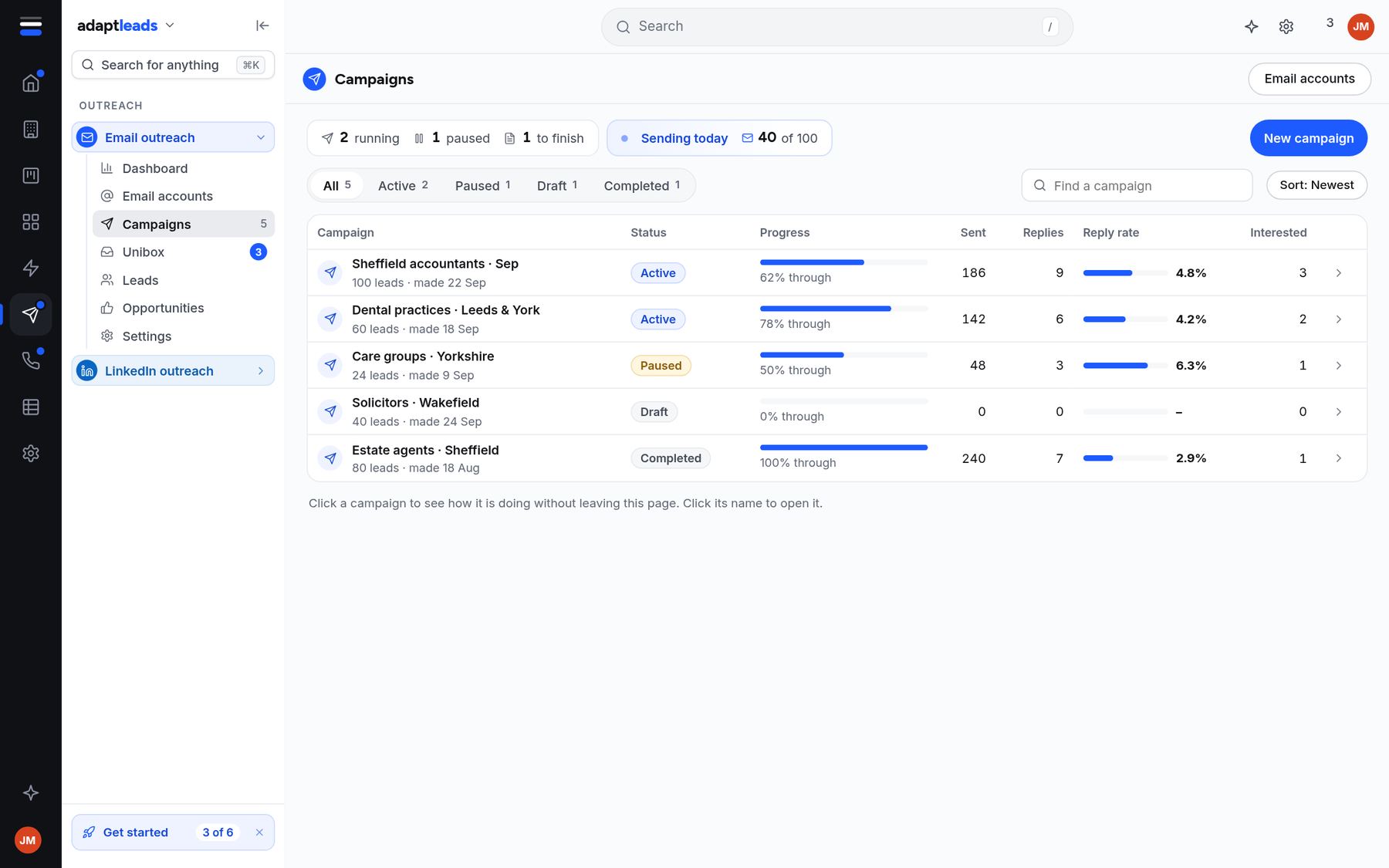
Follow-ups that stop when someone replies.
Write the first email and the follow-ups. Adapt spaces them out, sends in working hours with random gaps, and holds follow-ups back if it can't read a mailbox's replies. A campaign is planned at about 20 a day from each mailbox.
Warm-up and a health score for every mailbox.
Connect Gmail, Google Workspace or any mailbox that works over IMAP and SMTP. Each one warms up gradually, and you can see its health score, how many it sent today and how far through warm-up it is. A score above 90% is good. Run a seed test to see where your emails land.

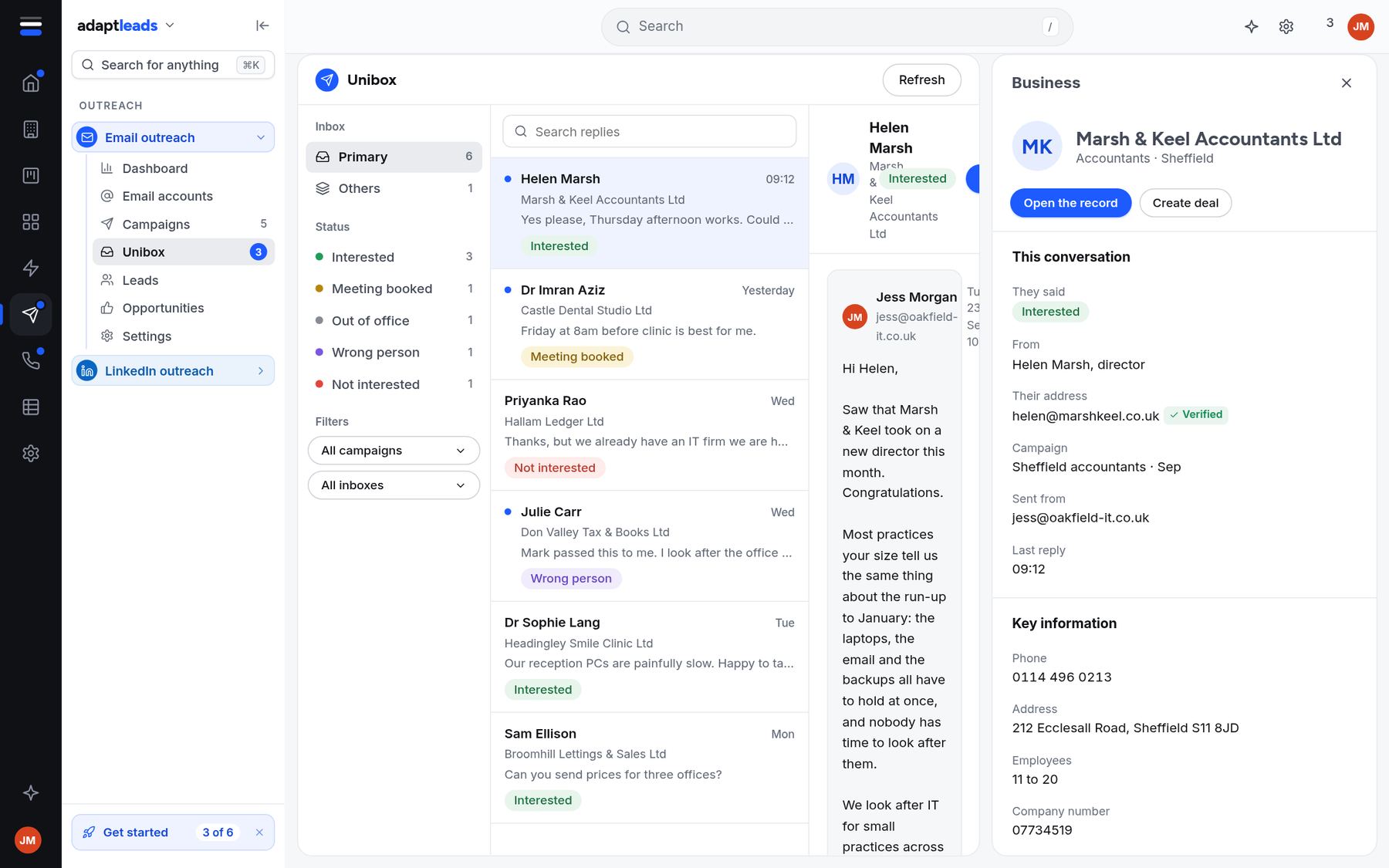
Every reply in one inbox, sorted by what it means.
Replies are labelled Interested, Meeting booked, Out of office, Wrong person or Not interested, so you can deal with the good ones first. Open one and the business, the thread and the record are beside it. Press Create deal and it's in your pipeline.
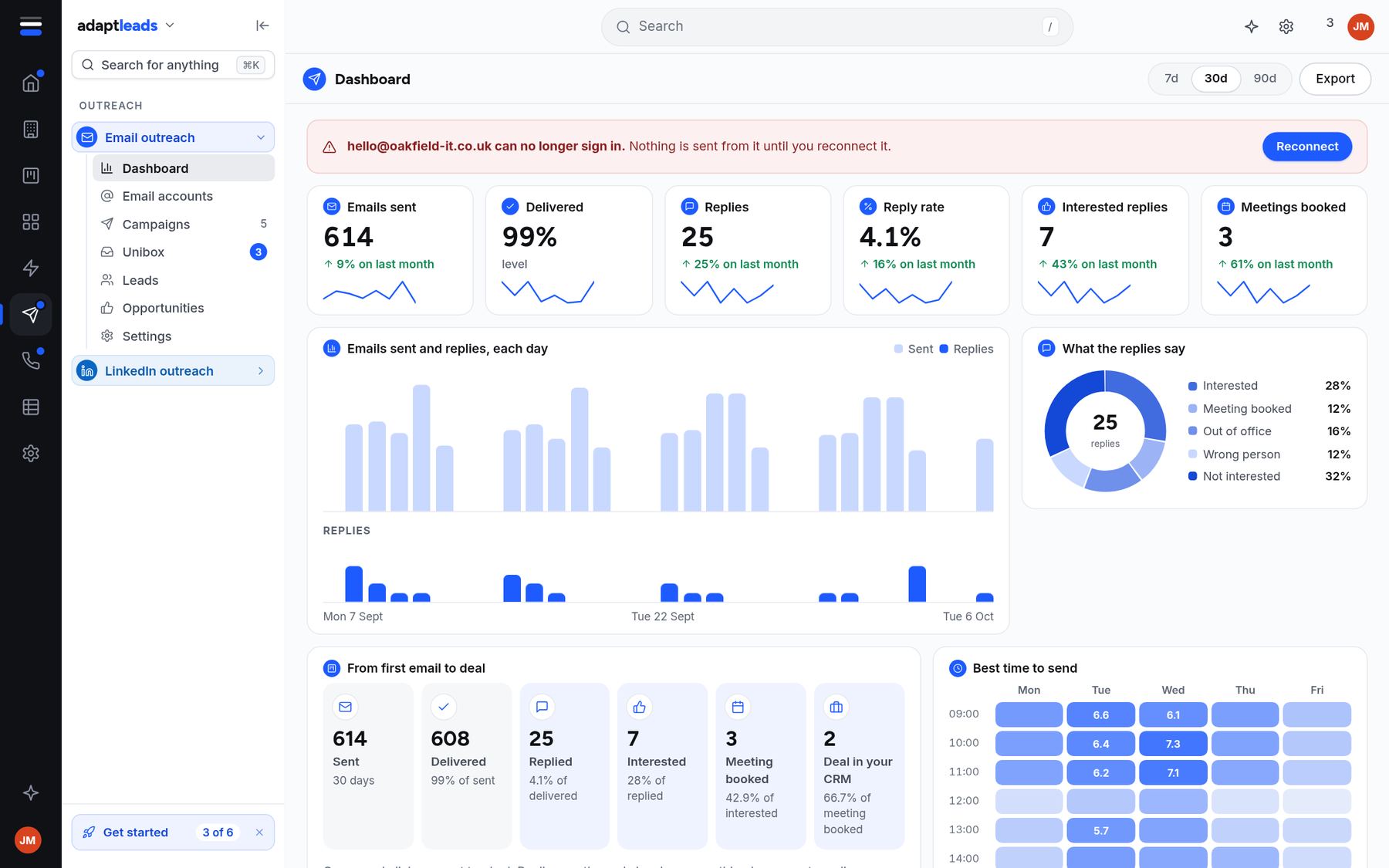
See what's working.
A dashboard of emails sent, delivered, replies, reply rate, interested replies and meetings booked, day by day. Look at the last 7, 30 or 90 days and export it.
The boring parts done properly.
Mailboxes that earn their reputation
New mailboxes start slowly and build up, with a health score you can watch.
Human sending
Sends in working hours with random gaps, and each mailbox has its own daily limit.
Written once, sent in order
Add as many steps as you want, with waits between them.
Sorted for you
Interested, Meeting booked, Out of office, Wrong person and Not interested, labelled as they arrive.
Matched to the person
A bounce notice is matched to the right contact, once, and never chased.
A do-not-contact list
People who ask to stop go on your do-not-contact list and are never emailed again.
From a list to a running campaign.
- 1
Connect a mailbox
Add Gmail, Google Workspace or any IMAP and SMTP mailbox, and let it warm up.
- 2
Build the campaign
Write the steps yourself, or ask Adapt for a draft from a list and your offer.
- 3
Approve and start
Press start when you're ready. Adapt sends at the pace you set and sorts the replies.
Questions, answered
Which mailboxes can I connect?
Gmail and Google Workspace, and any mailbox that works over IMAP and SMTP.
How many emails can I send a day?
Each mailbox has its own daily limit, starting low and rising as it warms up. Adapt plans a campaign at about 20 a day from each mailbox, and you can lower it.
Does Adapt write the emails?
It can draft them from facts on the record, such as a new director or a move. Every draft waits for you to read it.
Is cold email to businesses allowed in the UK?
It depends on who you are writing to. Email to a company or an LLP is treated differently from email to a sole trader or an ordinary partnership, which needs their consent. Adapt shows what kind of business each record is and labels every address, and the choice is yours. This is not legal advice, so read our UK GDPR and PECR page and the ICO's guidance.
What happens when someone says stop?
They go on your do-not-contact list and nothing more is sent to them.
Send your first campaign.
Start free, connect a mailbox and let it warm up.