The book,
beside every LinkedIn profile.
Open a LinkedIn profile and the Adapt Leads extension tells you whether the person is in the book, which business they run and how sure we are about their details. It's also how your LinkedIn campaigns run, from your own browser.
Part of this is live now: the extension already carries out your LinkedIn steps from your own browser. Showing the book beside a profile is the part we are building next, and this page describes how it will work.
Know who you're looking at.
The extension checks the profile against the book as you browse. If the person is in the book, it shows their business, their role and how we know. If they aren't, you can see that too, so you're not guessing.
The same extension runs your LinkedIn campaigns.
Your campaigns run in your own browser through the extension, so every action comes from your own account, on your own connection. Nothing is sent from our servers, and each invite and message waits for your OK.
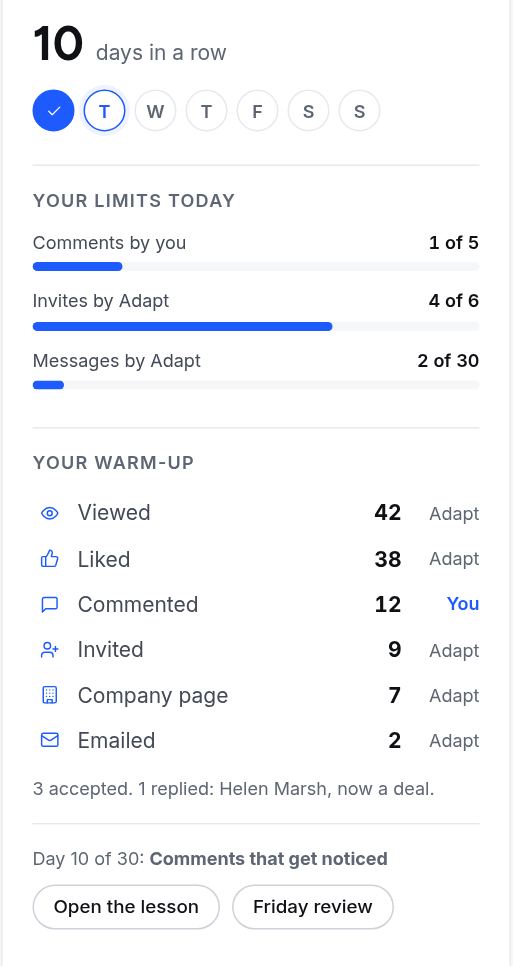
Small, and does its job.
Check a profile against the book
See whether the person is in the book and which business they belong to.
Show how sure we are
Details come with their labels, so you can see what is proven and what is not.
Carry out your LinkedIn steps
Views, likes and invites go out from your own browser, at the pace you set.
Questions, answered
How do I get the extension?
You download it from LinkedIn settings in your account, then sign in to Adapt Leads from it.
Does it send anything from your servers?
No. LinkedIn actions run in your own browser. Our servers never touch your LinkedIn account.
Does it work in other browsers?
It is a Chrome extension. Other browsers are not supported yet.
Is it affiliated with LinkedIn?
No. Adapt Leads is not affiliated with LinkedIn Corporation.
Put the book beside LinkedIn.
Start free and download the extension from your settings.